Every time a designer assumes they have seen it all, there is a new update on the horizon, possibly AI, evidently better. Now it’s Nano Banana!
If you’re reading this, you’ll probably have an idea of why everyone is going bananas.
We’ll explain it a little better, for the designers and everyone who’s ready to add ÄI editing expertise” to their arsenal of marketable skills.
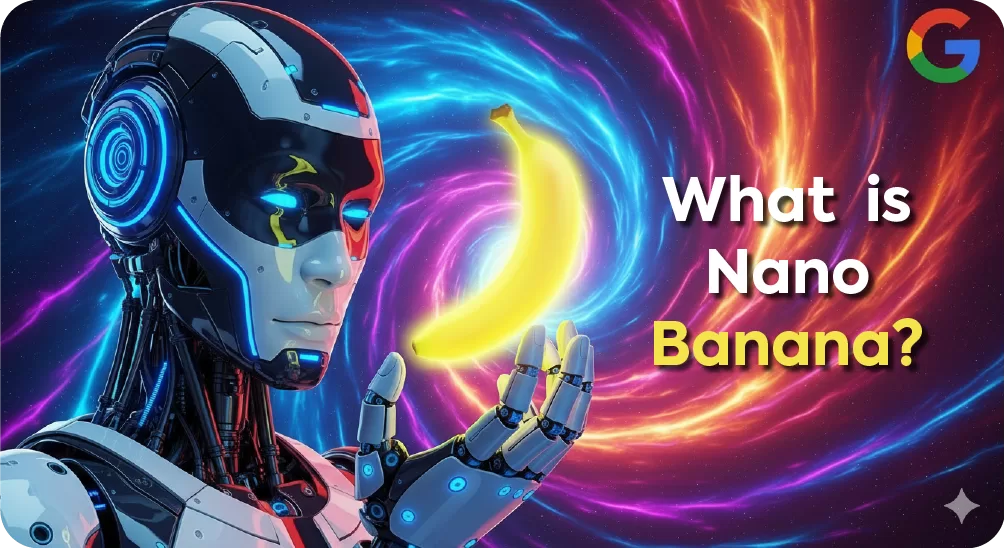
Nano Banana is a new update in Google’s Deepmind image editing and generation model featured in the Gemini app.
“It’s the top-rated image editing model in the world” says Google’s “The Keyword” blog.
The aim with this native image editor is to maintain likeness to the original image throughout the editing process. You can change the background, add a new hairstyle, edit yourself into an old family photo or completely change the entire picture without compromising on the appearance of the people in the photo. You can also convert it into videos through the Gemini app.
Now that you know what the model does, you are probably thinking it’s the same as, well, every AI image generator till date? The answer may not be simple – yet.
For a start, it is better.
This means better quality, quicker response times and improved likeness preservation.
Whether it will beat Photoshop remains to be seen, but the hype promises unrivalled quality and efficiency.

With AI powering almost all facets of content, design, marketing and whatnot, the goal for most designers is achieving efficiency, without spending hours creating every shadow, adjusting colours or using expensive resources.
Here’s how the top performing AI generators fare in the world of design:
Nano Banana
Nano Banana is built for speed, simplicity, and results.
Unlike many AI image tools that overwhelm users with complex settings, Nano Banana keeps the workflow intuitive and agile.
Its lightweight system delivers faster generations with less friction, making it ideal for creators who value efficiency and quick turnaround.
While it does not focus on extreme customisation, it provides exactly what most teams need: dependable and visually appealing outputs in a fraction of the time.

Adobe Firefly
Adobe Firefly works best inside the Creative Cloud ecosystem, offering professional editing and commercial-ready assets.
This power comes with drawbacks such as a steep learning curve, slower render times and higher costs.
Compared to Nano Banana, which takes users from idea to image in seconds, Firefly can feel heavy and less flexible for fast moving projects.
Midjourney
Midjourney is known for its artistic and highly stylized visuals and is popular with concept artists and creatives exploring bold aesthetics.
The model does requires Discord access and detailed prompting, which slows down everyday use. Nano Banana removes these hurdles and offers instant results with no extra steps.
MidJourney inspires artistry while Nano Banana delivers the speed and simplicity needed for real world content creation.
DALL·E
DALL·E provides flexibility with tools like in-painting and out-painting, making it versatile for edits and adjustments.
It often feels like a generalist tool that is good at many tasks but slower and less focused on speed.
Nano Banana outperforms in accessibility and turnaround time, giving creators straightforward outputs without delay. For teams prioritising efficiency, Nano is the sharper choice.
Stable Diffusion
Stable Diffusion is the go-to for developers and advanced users who want deep control and custom model training. It requires heavy set-up, strong hardware and technical expertise which puts it out of reach for most teams.
Nano Banana takes the opposite path with no set-up, no technical barriers and instant usability. It may not match the customization depth, but for fast and reliable results Nano is far more practical.
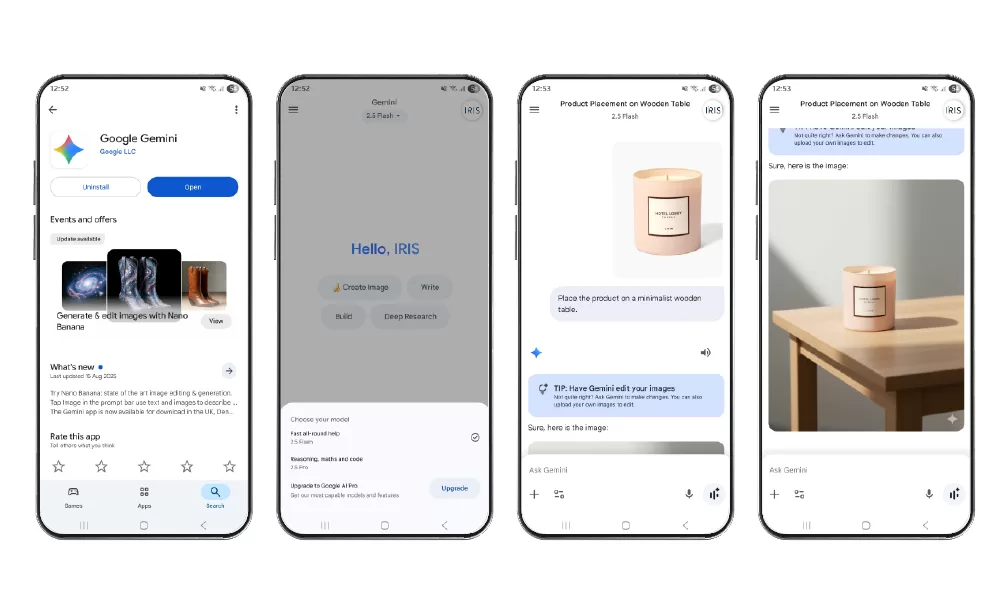
Therefore, we’ll get you started on the application:
How to Use Nano Banana 2.5 Flash Image Model
Get Started
Now, lets get you started on the application
- Download or open the Gemini App on your device.
- Sign in with your account, or create one if you’re new.
Select the Right Model
- Choose Nano Banana 2.5 Flash Image from the model library.
- This version is optimized for fast rendering, detailed editing, and advanced compositing.
Upload Your Image
- Supported formats: JPG and PNG.
- For best results, use high-resolution images with clear focus.
Prepare Your Subject
- Pick photos where the subject is distinct.
- Avoid clutter, poor lighting, or low quality captures. The cleaner the input, the sharper the output.
Write Your Prompt
- Use natural, descriptive language to guide edits. Sentences such as, “enhance the background with a soft golder hour glow”, or “place the product on a minimalist wooden table”.
- Be specific about style, mood, and placement for precise results.
Preview the Output
- The AI instantly generates an editable draft.
- Review the composition, details, and overall tone.
Refine with Iterations
- If the first version isn’t perfect, tweak your prompt.
- Adjust keywords for lighting, atmosphere, or subject position until it aligns with your vision.
Export Your Final Image
- Once satisfied, download the high-resolution file.
- Ideal for campaigns, ads, social media posts, or product catalogs.

The possibilities are almost endless, from prompting the application to change backgrounds and add details to images, to generating entirely new designs from scratch, it can do so much.
Here are a few examples to help you get started with the application:
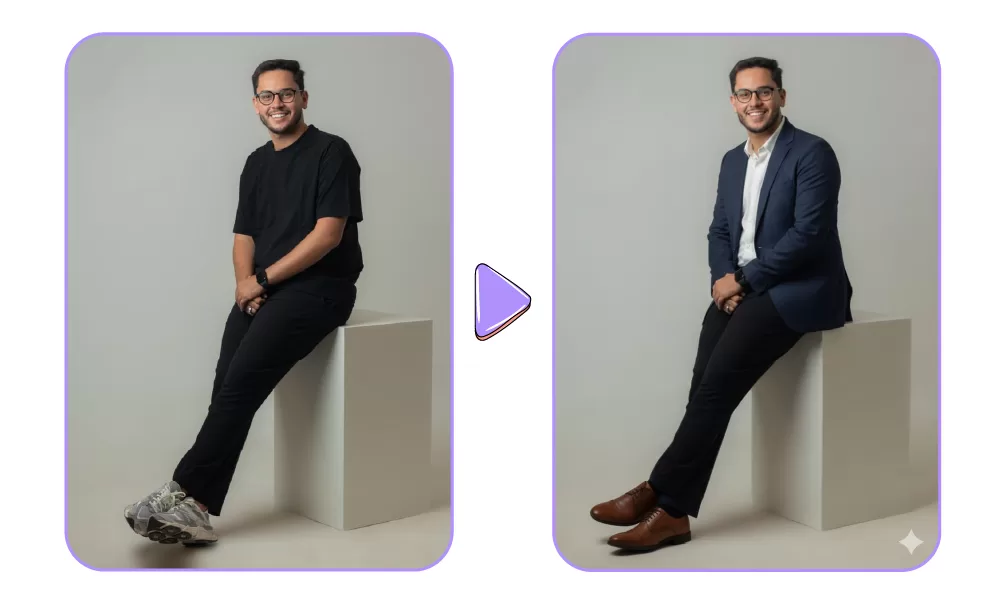
Perfect Your Professional Image: Transform casual photos into polished portraits by swapping clothing, refining lighting, and adjusting backdrops while keeping identity intact.
Prompt idea: Change outfit to navy blazer + white shirt; keep face, glasses, and expression unchanged; apply warm studio lighting; crop 4:5.
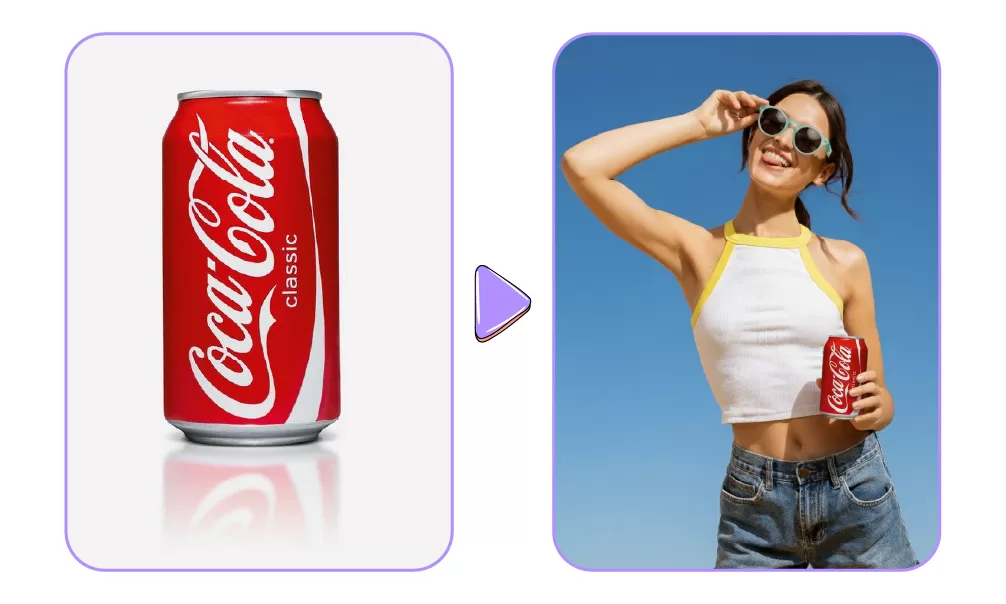
Bring Products to Life: Turn plain product shots into lifestyle-ready visuals or generate consistent colour variations for online stores.
Prompt idea: Place product from Image A onto coffee table in Image B; keep scale realistic; preserve label and texture.
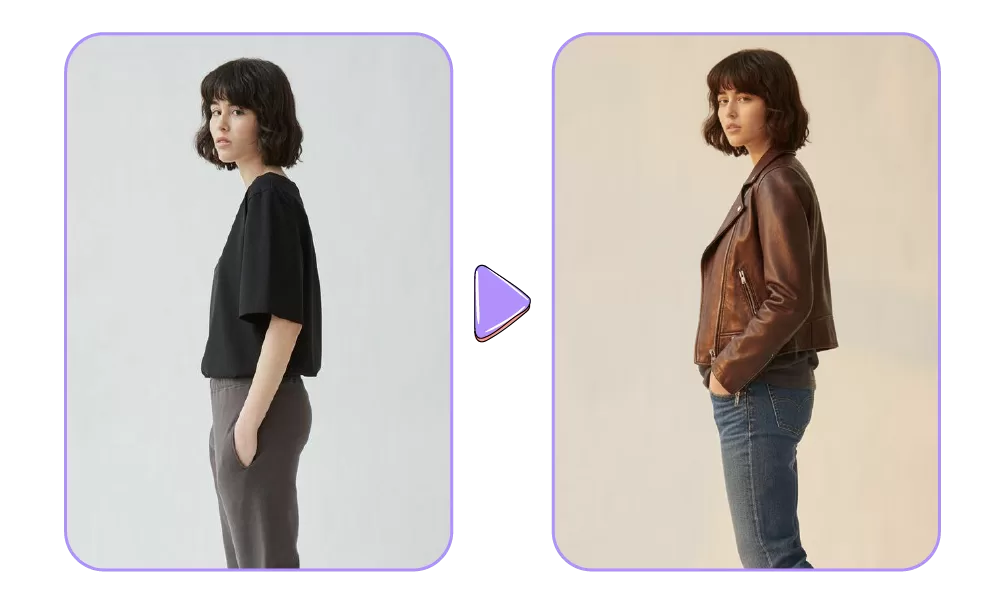
Upgrade Social & Influencer Content: Style-switch outfits, adjust moods with lighting, and auto-crop images into multiple formats for different platforms.
Prompt idea: Swap t-shirt for leather jacket; add soft golden-hour glow; output 1:1 square and 9:16 story.
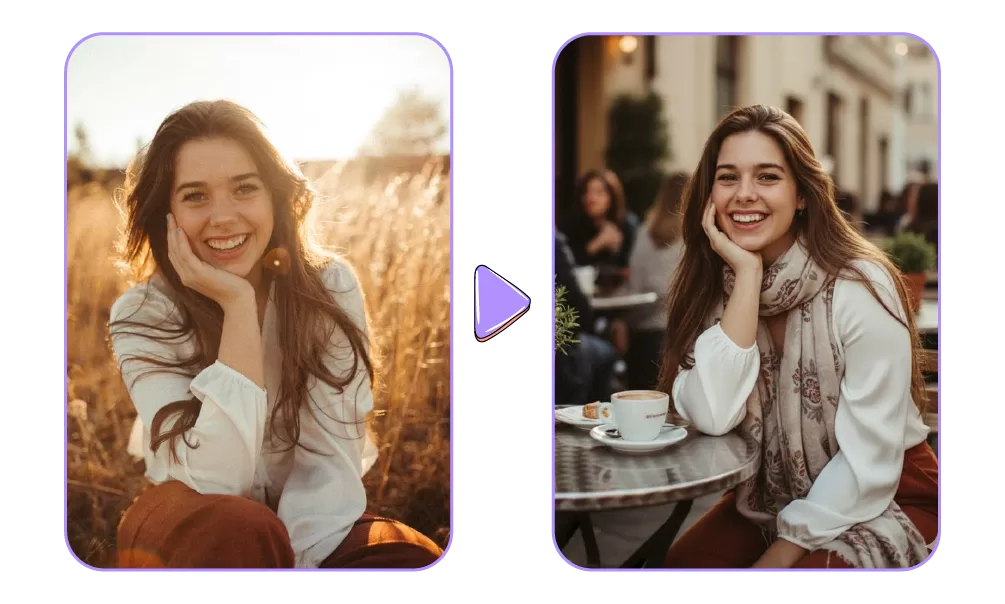
Keep Characters Consistent: Maintain brand mascots or recurring characters across campaigns with precise details locked in.
Prompt idea: Reference sheet: preserve scarf, skin tone and dimple; generate scene at outdoor café terrace; same facial expression.
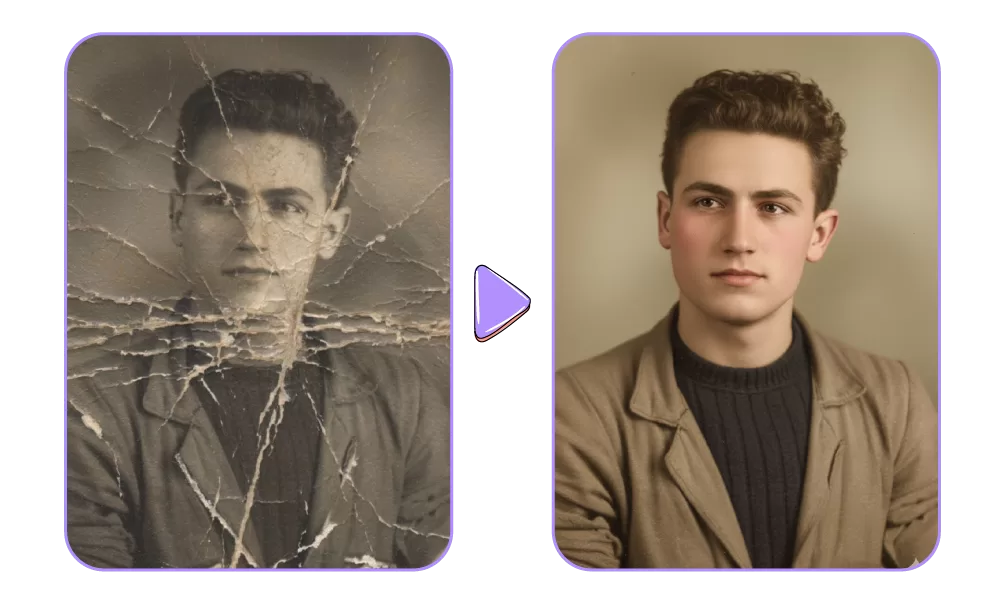
Restore & Re-imagine History: Repair, colourise, and enhance archival photos without losing authenticity or fine detail.
Prompt idea: colourize B&W portrait with 1940s palette; repair scratches and torn edges; preserve composition and proportions.

- Be exact: Use specific terms for clothing, lighting, or camera angles.
- Lock essentials: State what must stay untouched (face shape, jewelry, tattoos).
- Tweak in steps: Run edits in sequence (background → outfit → colour grading → retouch) for cleaner results.
- Iterate smartly: Give short correction prompts instead of rewriting everything.

- Inconsistent edits when prompts are vague or overly complex.
- Blurry/low-quality outputs if source images or export settings are poor.
- Prompt misinterpretations leading to unintended changes.
- Difficulty maintaining identity consistency across multiple edits.
- Long processing times for complex or high-resolution images.
- Watermark/export issues in free or misconfigured versions.
Most issues can be resolved with clearer prompts, step-by-step editing, high-quality inputs, proper export settings, and consistency tools, enabling polished, professional results.

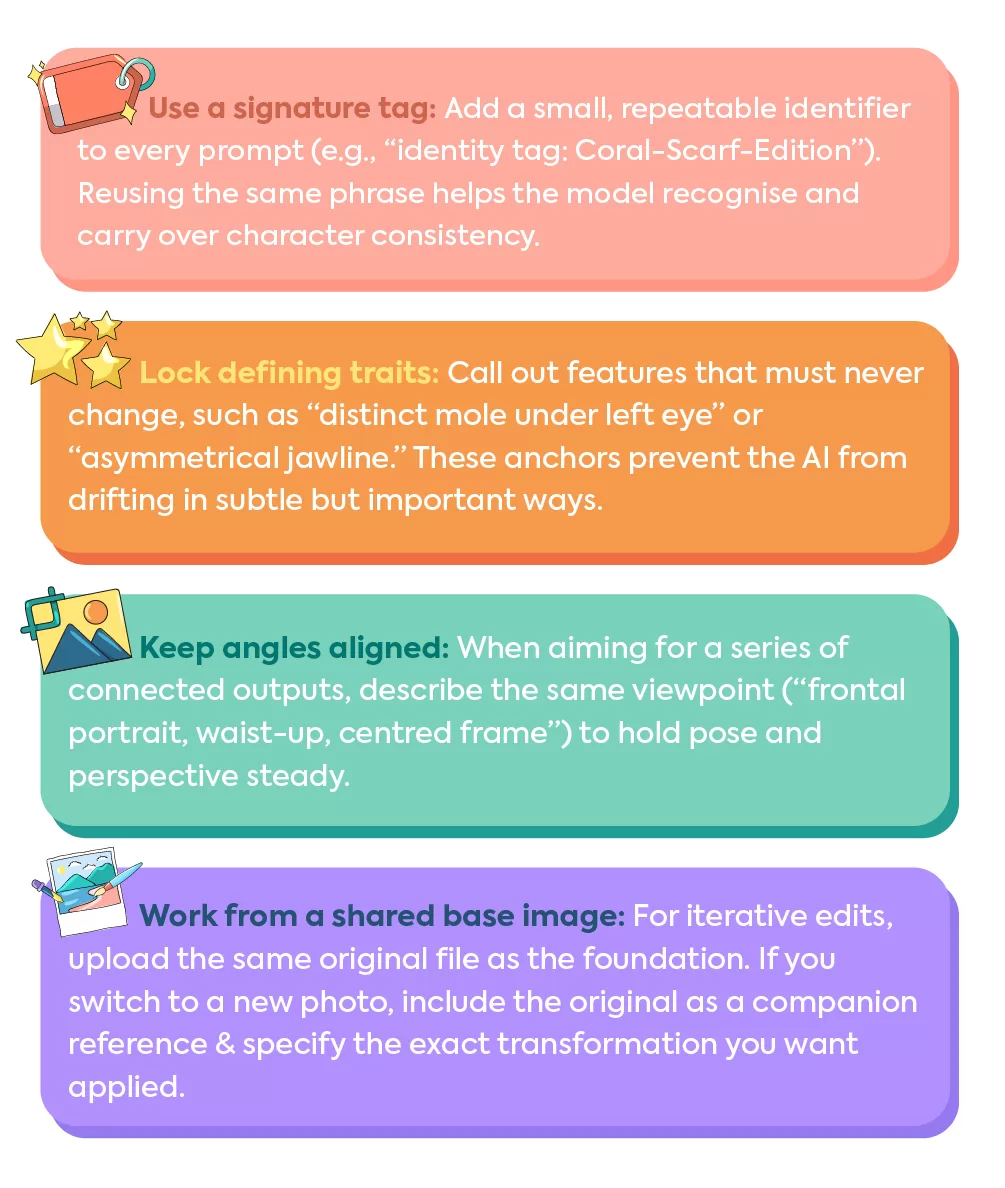
Make the Most of this Image Generator
For anyone looking to use Nano Banana, it is crucial to understand that this is a fairly new application. With time, and better prompting it is possible to drive an entire campaign using just this “AI image editor/generator”.
Not sure where to begin or want professionals to design visual content for your business?
Give IRIS a call and get the best designers to work with your brand!