November 30, 2022 – with the launch of Open AI’s ChatGPT the meaning of “search” changed.
From writing code, to giving witty replies, this newly released chatbot turned into a trusted engine that gave the user exactly what they wanted.
For the first time ever, a user did not need to open multiple tabs, scroll down, or write the same query in three different ways just to get an answer that made sense.
While the first interactions with this type of artificial intelligence may have become social media banter, this chatbot rapidly became a leading competitor to the traditional search engine.

“The reason why ChatGPT is so exciting is it’s the exact right form factor for demonstrating how AI could become a useful assistant for nearly every type of work. We’ve gone from theoretical to practical overnight.”
– Aaron Levie, co-founder and CEO, Box

What seemed like a simple query to answer experience, quickly shifted into a full fledged search engine. Not that traditional search engines were no longer relevant, it’s just that users chose to type their queries into the search bar in Chatbots rather than other more SEO dependent search engines.
This didn’t just change how a user gathered information, it also transformed their journey from search to options, to browsing and then decision to search and action.
Suddenly no one was visiting websites or opening tabs. Instead of searching for the answers to their problems in search engines, they began asking AI for answers, and that is where AI became an unavoidable reality in the world of business.
Now businesses need to adapt and prepare for AI driven search engines. While traditional SEO based search engines still impact how traffic lands on a website, for a business to show up on an AI powered search engine, the schematics are different.
Businesses now need to rely on structured data, contextual content, quality information and no non-sense schema to achieve the results that once only depended on search engine optimization.
What works in favor of most businesses is that AI engines tend to gather information from resources already present on the internet when asked correctly. This doesn’t just have the potential to get a brand’s website noticed but also drive more organic traffic and visitors to the actual domain.

The internet is entering a new phase, where your browser doesn’t just display information, it can act on it.
AI browsers are redefining how we discover, filter, and interact with online content, turning browsing into an intelligent, context-aware experience.
Let’s explore what makes this shift significant and why it matters for modern brands.

Traditional browsers like Chrome or Safari function as passive tools. You type, click, and search.
AI browsers, in contrast, behave like proactive assistants that understand your intent and take action on your behalf.
Here’s how the experience is changing:
- Traditional browsers show search results. AI browsers deliver direct answers.
- Traditional browsers make you click through multiple pages. AI browsers navigate for you.
- Traditional browsers save bookmarks. AI browsers remember your activity and context.
The result is a more seamless, conversational experience. Instead of juggling dozens of tabs or hunting for an old article, you can simply say,
“Find the article about manufacturing efficiency I read last Tuesday,” and your AI browser retrieves it instantly.
Browsing is no longer about searching for information, it’s about accomplishing tasks efficiently.

A new generation of AI browsers is shaping how we interact with the web. Let’s take a closer look at three of the most influential players.

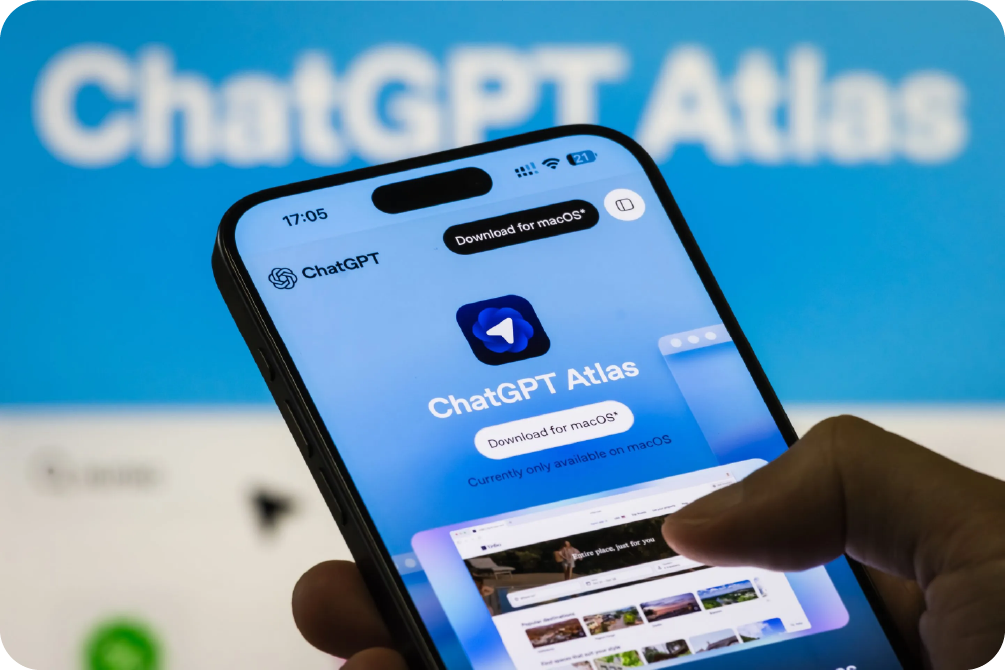
OpenAI is preparing to introduce ChatGPT Atlas, its AI-first browser designed to compete directly with Chrome.
Atlas integrates deeply with major platforms including Eventbrite, Redfin, and Priceline, creating a more connected browsing experience.
Source
Why it stands out?
Atlas operates within a familiar ChatGPT-style interface, allowing users to browse, book, and buy within a single conversation. As users move across the web, the browser learns their preferences and anticipates their needs.
In practice
Atlas could schedule appointments, complete purchases, or manage bookings directly within chat, eliminating the need to visit a website entirely.

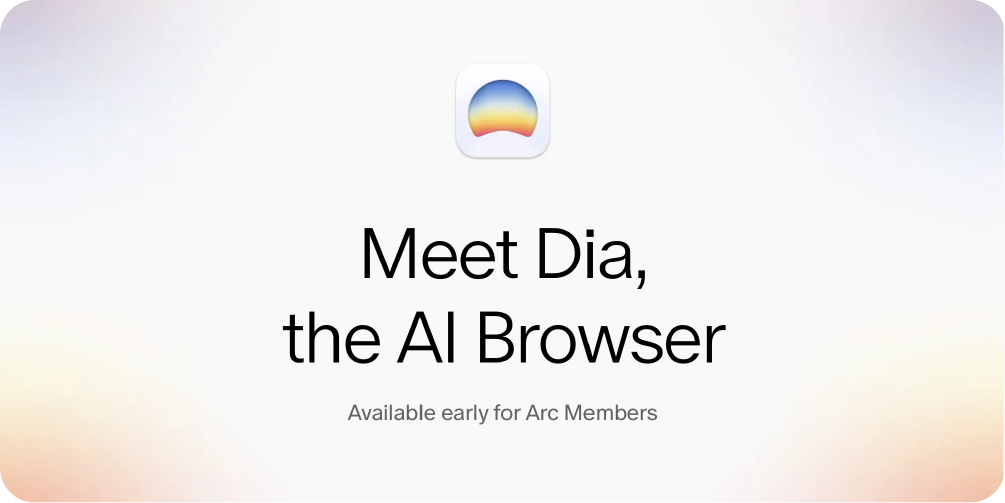
After the success of Arc, The Browser Company launched Dia, a browser built around the concept of ambient intelligence, AI that supports users quietly and intuitively.
Why it stands out?
Dia performs autonomous actions such as adding items from an email to your online shopping cart. Privacy remains central, with all data stored locally and securely encrypted.
Source
In practice
In a B2B scenario, Dia could process an email containing project requirements and automatically collect vendor quotes, saving hours of manual work for teams.
For example, imagine a marketing manager receives an email outlining specifications for a product launch, such as print materials, display stands, and promotional items. Instead of manually searching for suppliers, Dia could analyze the email, identify the required assets, and open relevant vendor pages or quote forms in the background.
By the time the manager revisits the browser, Dia would have gathered shortlisted vendors, compared pricing, and prepared a summary, transforming what once took hours into minutes.

Perplexity has introduced Comet, an AI-powered browser for its premium users. It transforms browsing from a manual process into a guided, interactive experience.
Why it stands out?
Comet features an integrated AI assistant capable of summarizing emails, managing tabs, and handling routine online tasks. It keeps track of your browsing context so you can resume any activity simply by asking.

Source
In practice
A procurement manager could request:
“Find three vendors offering industrial sensors under $500 with next-day delivery.”
Instead of displaying a list of links, Comet analyzes, compares, and presents actionable options.

The rise of AI browsers marks a major shift in how users discover, evaluate, and interact with brands online.
Traditional browsing follows a linear path, users search, click, explore, compare, and finally decide. AI browsers replace that journey with something more fluid, intuitive, and personalized.
Here’s how the transformation unfolds:

In the traditional web journey, users begin by typing queries into a search bar and sifting through results. AI browsers skip that step. They interpret user intent and deliver contextual answers instead of generic links.
Impact: Brands will need to focus on how their content is structured and represented to AI systems, because the browser may summarize or prioritize your offering without a user ever visiting your site.

AI browsers turn browsing into dialogue. Instead of scrolling through pages, users can simply say,
“Find a sustainable skincare brand with free international shipping.” The browser then curates, compares, and recommends options in real time.
Impact: The “search → click → explore” funnel becomes a single conversational exchange, where the AI assistant becomes the primary decision-maker influencing user choices.

Traditionally, users move between multiple tabs, forms, and websites to complete one task.
AI browsers consolidate these steps into a unified workflow; research, evaluation, and purchase all happen within one intelligent interface.
Impact: This reduces brand touchpoints but increases the need for AI-ready integration. Businesses that connect their services (via APIs, product feeds, or structured data) will be visible where decisions are made inside the browser itself.

AI browsers continuously learn from user behavior, preferences, and past actions. Over time, they tailor recommendations, predict needs, and anticipate next steps.
Impact: Every browsing session becomes uniquely personal. Brands that maintain consistent, contextual, and data-rich experiences will have a stronger presence in these AI-driven interactions.

In the near future, users may not visit your website directly at all. Instead, AI browsers like ChatGPT Atlas, Comet, or Dia will act as intermediaries that surface, summarize, and transact on your behalf.
Impact: The “home” of your brand experience will extend beyond your website into AI-powered ecosystems that interpret your data and deliver it to users through voice, chat, or automation.


Why: AI browsers rely heavily on structured signals to identify who you are, what you do, and what actions users can take.
Actions
- Run your homepage and key pages through Google’s Rich Results Test or Schema validator and list missing important types (Organization, LocalBusiness, Service, HowTo, Product).
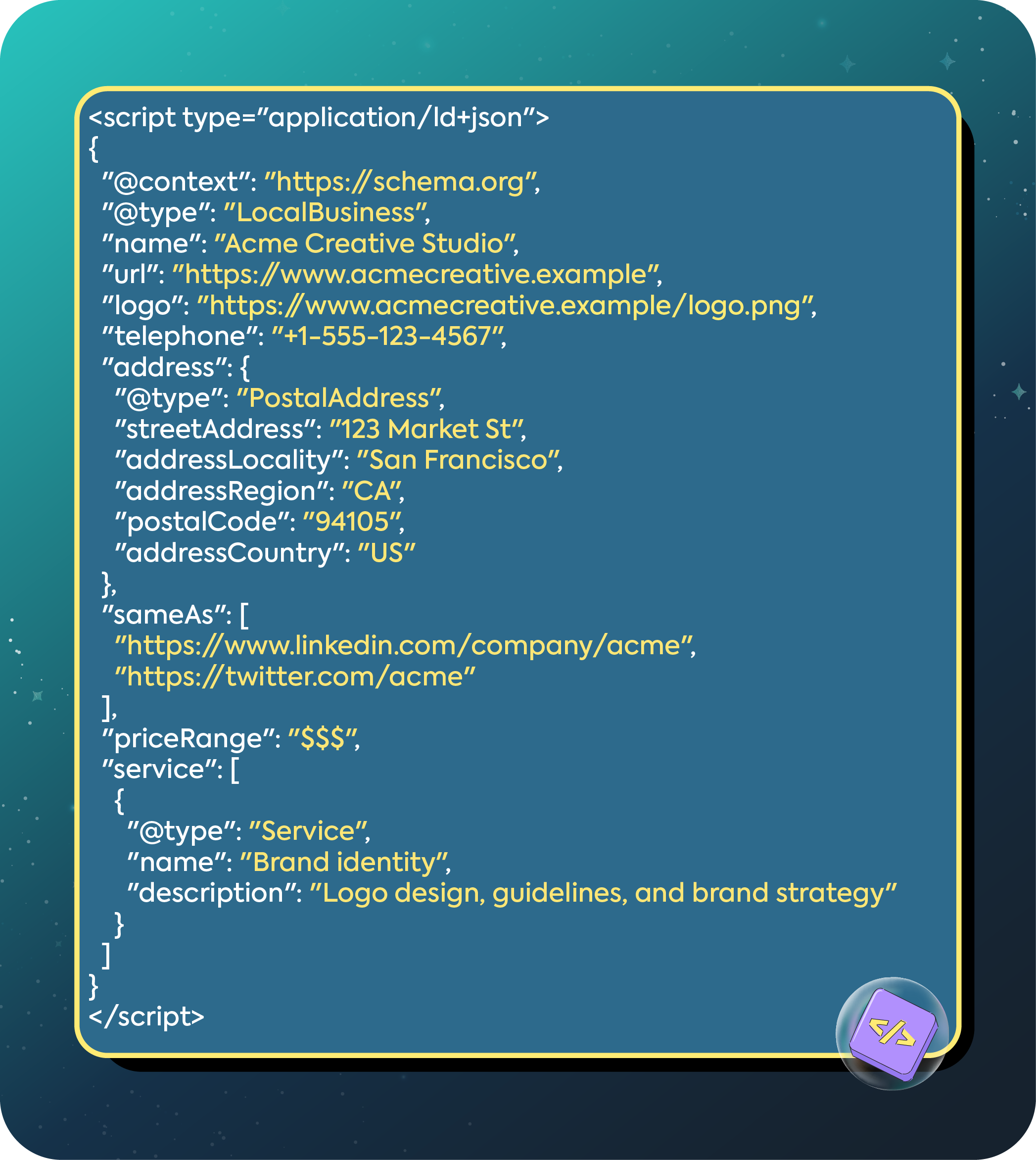
- Add JSON-LD schema to the <head> of your pages.
Example: Organization + LocalBusiness + Service (JSON-LD)
Checklist
- Organization or LocalBusiness schema present on homepage.
- Service/Product schema on service/product pages.
- HowTo/FAQ schema where appropriate.
- Images have alt and are referenced in schema when relevant.

Why: AI browsers pull short, structured answers first. Give them a neat, extractable summary.
How to build it
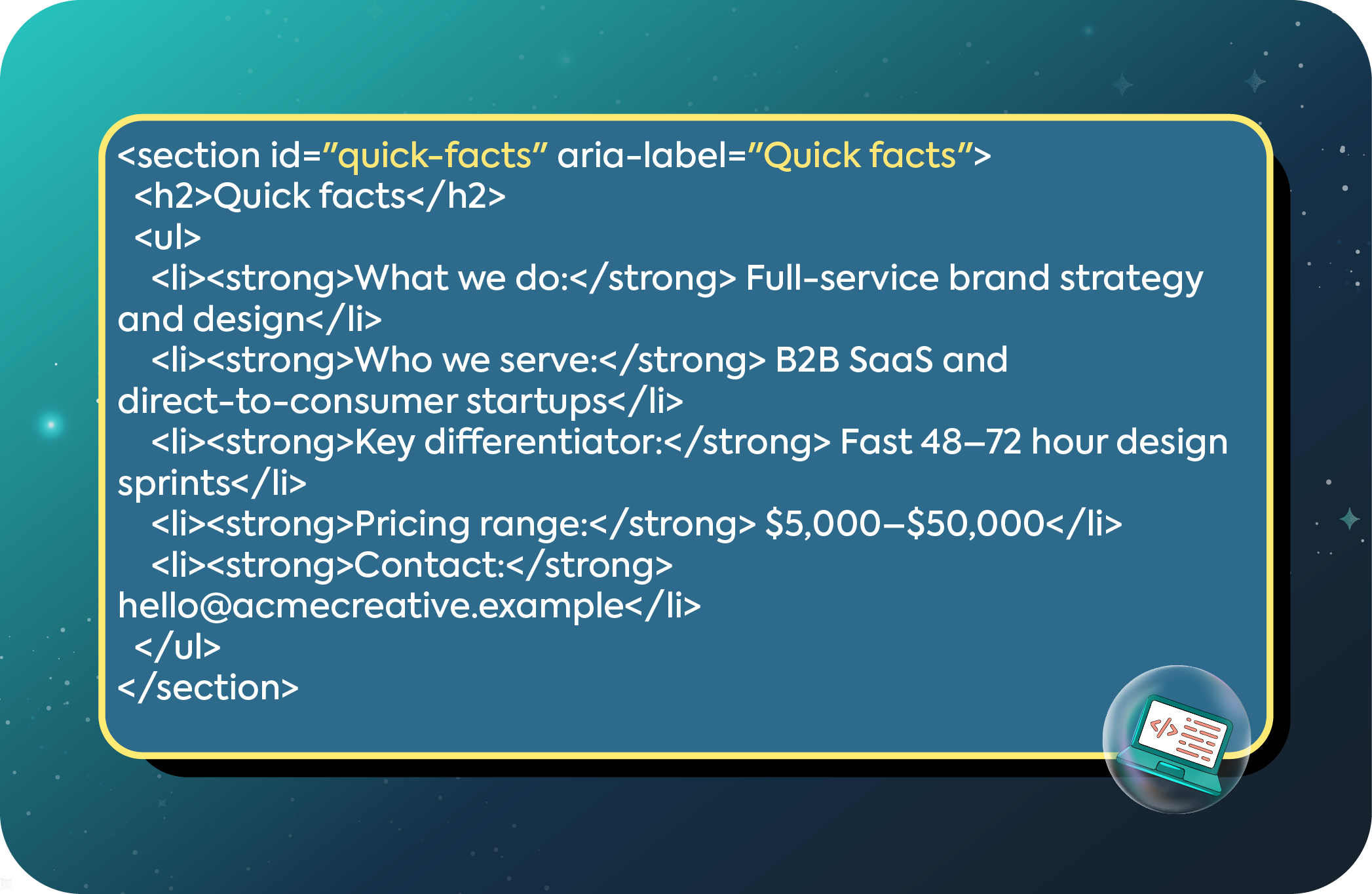
- Place a short bullet block at the top of service/product pages labelled “Quick facts”.
- Keep each bullet a single short sentence or phrase for easy extraction.
Example HTML (visually and machine-friendly)
Checklist
- Use semantic HTML (<section>, headings).
- Keep copy concise and consistent across pages.
- Add itemprop attributes if you want microdata as well.

Why: AI browsers will try to complete tasks; if your forms are accessible and predictable they can be automated.
Manual accessibility test
- Try to complete your booking or quote form using only the keyboard (Tab/Enter).
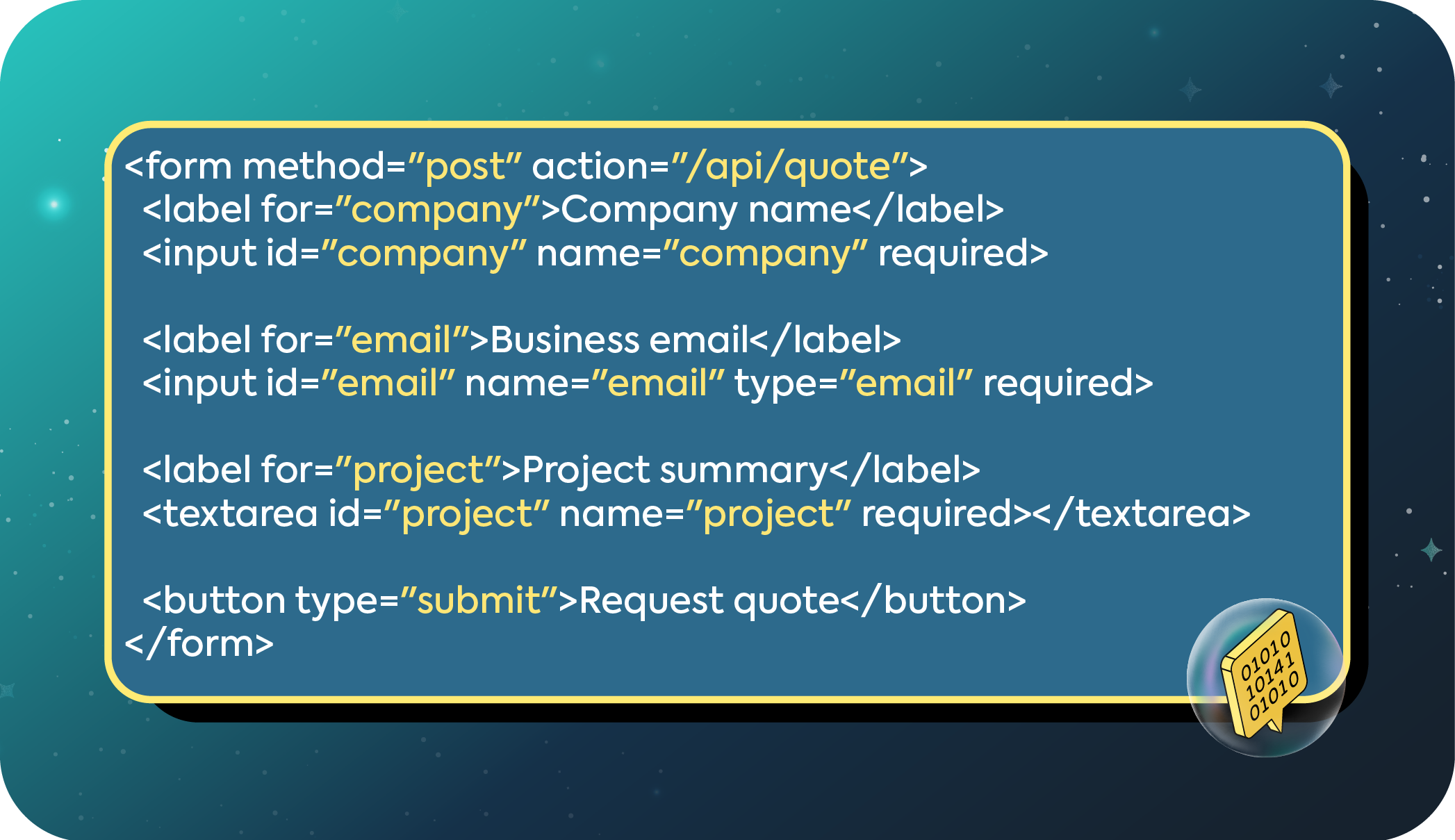
- Ensure labels are associated (<label for=”…”>) and focus states are visible.
Form best practices
- All inputs must have label elements or aria-label.
- Form must work without JavaScript (progressive enhancement) or return useful server-side errors.
- Provide a clear confirmation page/message on success (server-rendered or plain HTML).
Example accessible HTML form
Checklist
- Form works when JavaScript is disabled.
- Success returns a distinct HTML confirmation or JSON confirmation.
- All fields are labelled and use semantic types.
- Consider exposing a minimal, documented API endpoint for quote requests.

Why: Step-by-step and definition content is highly consumable and favored for direct answers.
Actions
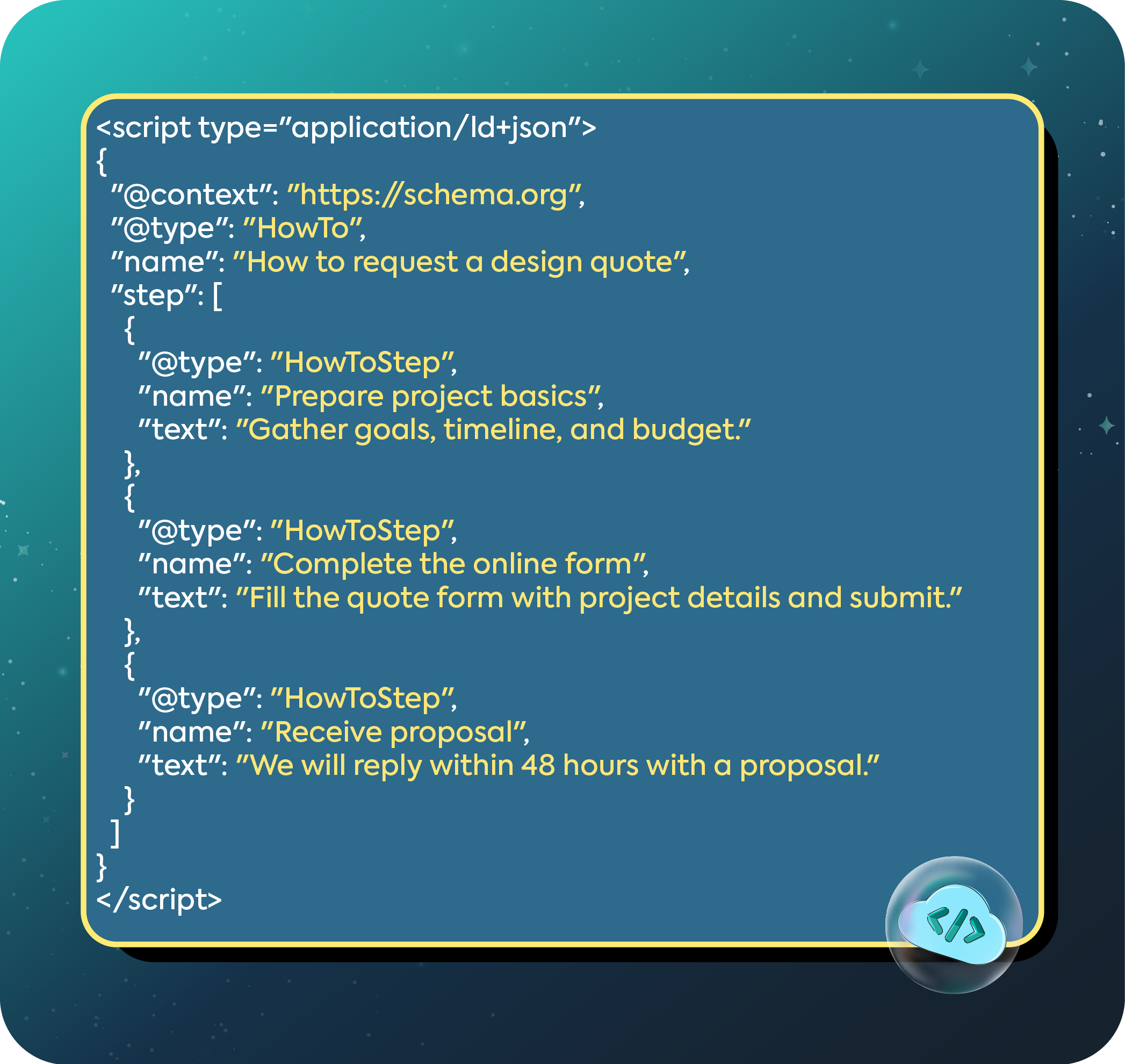
- Pick most common customer questions and write concise HowTo guides (short steps, numbered list).
- Create a small glossary of 8–10 industry terms with plain definitions.
- Add HowTo and FAQPage schema where applicable.
HowTo JSON-LD example
Checklist
- Use numbered lists and clear H2/H3 headings.
- Apply HowTo or FAQ schema with accurate steps/questions and short answers.
- Keep definitions simple (one to two sentences each).

Why: You need to detect AI-driven visits so you can measure impact and iterate.
GA4 exploration setup
- In GA4 go to Explore → Create a blank exploration.
- Add dimension: Session source/medium.
- Create a segment where Session source contains names like: Perplexity, Comet, OpenAi, Dia, Anthropic (monitor for incoming AI referrers).
- Save and check weekly for new referrer patterns.
Additional tips
- Look at session length, pages per session, and conversion rate for these segments.
- If you see AI referrers with no conversions, investigate missing microcopy or form failures.
Checklist
- Exploration set up and saved.
- Alerts/notes when AI referrer traffic grows.
- Dashboard tiles for key metrics from AI referrers.

Why: AI browsers prefer concise, factual content that is easy to parse.
Guidelines
- Use short headings and subheadings.
- Put the most important facts first (inverted pyramid).
- Use lists and tables for specs and pricing.
- Use plain language and consistent terminology.
- Keep metadata (title, meta description) informative and structured.
Checklist
- Key pages have a Quick Facts block + structured metadata.
- Product/service specs in bullet lists or tables.
- Single-sentence summaries at top of pages.

Why: AI browsers and users care about privacy and provenance.
Actions
- Make your privacy policy easy to find and machine-readable (link in footer).
- Add clear trust signals on pages (case studies, testimonials, certifications).
- Consider an explicit robots.txt or security.txt for automated agents (optional and advanced).
Checklist
- Prominent privacy link and contact email
- Case studies with structured CreativeWork or Review schema where appropriate.

Why: Real tests reveal gaps.
Tests to run
- Keyboard-only booking test and screenshot key failures.
- Script a programmatic submission (curl) to your quote endpoint and verify the correct success response.
- Use your internal testers to read Quick Facts and summarize. Does the summary reflect your key messages?
- Monitor GA4 for new AI referrers and conversion differences.
Checklist
- Document test cases and outcomes
- Prioritize fixes by business impact (lead capture, bookings, purchases).

Ready to adapt and grow with the new age of AI browsing?
Your creative team at IRIS is geared up to organize and implement strategy, code and processes that give your business the visible boost it needs in the world of AI browsing.
Here’s how we plan to go about it:
- Marketing: Quick Facts, HowTo/FAQ, glossary, content clarity, metadata.
- Engineering: Schema JSON-LD, accessible forms, server-side form handling, minimal API endpoints.
- Analytics: GA4 exploration, dashboards, referrer monitoring.
- Legal/Privacy: Update privacy policy, opt-in language if needed.
- Product/Customer Success: Create sample flows for common customer tasks to be automated.
Book a Discovery Call Today and head on over to our LinkedIn page @IRIS to get a copy of our sample checklist to get your business ready for AI browsing!